
BlackHat Asia 2026 - Exploiting 10x Faster Experience
1. Introduction
Before attending this course, I was firmly in the AI skeptic camp. I was not anti-AI, but I was definitely not building a shrine to it either. My usage was mostly the boring stuff: explaining weird-looking code, renaming functions in Ghidra, or acting like a slightly more talkative Google search.
I had played around with AI tooling before. I even wrote an MCP server for GDB during an in-house hackathon, which is a fancy way of saying I built a bridge so an AI assistant could talk to a debugger. Cool? Yes. Life-changing? Not quite. At that point, I still saw AI as a helpful intern that occasionally makes things up with great confidence.
Then this course happened.
Over four days of hands-on labs, I watched Claude Opus 4.6 inside Cursor do things that normally require a worrying amount of coffee, terminal tabs, and muttering under your breath. It read dense vulnerability reports, built test labs, drove debuggers, inspected firmware, and helped reproduce real exploitation workflows. The “10x faster” in the course title sounded like marketing before I attended. By the end, I was no longer laughing at it.
After this course, I am fully onboard the AI hype train.

2. Instructors
The course was taught by Omri Ben-Bassat and Vladimir Tokarev, two people who have very clearly spent a worrying amount of time breaking real things.
Omri works on IoT and embedded device security, and has spoken at conferences like BlackHat USA, BlackHat Asia, RSAC, and TyphoonCon. Vladimir is a senior vulnerability researcher at Cyera with experience across cloud, IoT/OT, Windows, and Linux research.
In short, these people are the real deal.
That mattered because the course was not just “look, AI can write code.” It was much more practical than that. The real question was how someone who already understands security research can use agents to move faster without turning their brains off.
3. Day-to-Day Highlights
3.1 Day 1 – Agent Foundations and Cursor 101
Day 1 started with one big idea: there is a difference between chatting with an AI and giving an AI a job.
If you ask a chatbot, “What is this bug?”, it gives you an answer. An agent goes further. It can read files, run commands, inspect output, make a plan, and keep going until the task is done. Think of it less like a magic oracle and more like a junior researcher with infinite patience and zero desire for lunch breaks.
We applied this to CVE-2024-6387 (regreSSHion), a serious OpenSSH bug. We used the AI agent to read the advisory with us, build a vulnerable lab environment, and understand why a tiny timing issue could lead to a very big problem.
Later in the day, we moved into debugger challenges. Instead of typing every debugger command ourselves, we gave the agent a way to control GDB, then watched it dig through crashing programs to find hidden flags. This was the first point where I thought: “Okay, this is actually useful.”
This picture basically sums up what we were about to do for the next few days, and probably what the next few years are going to look like.
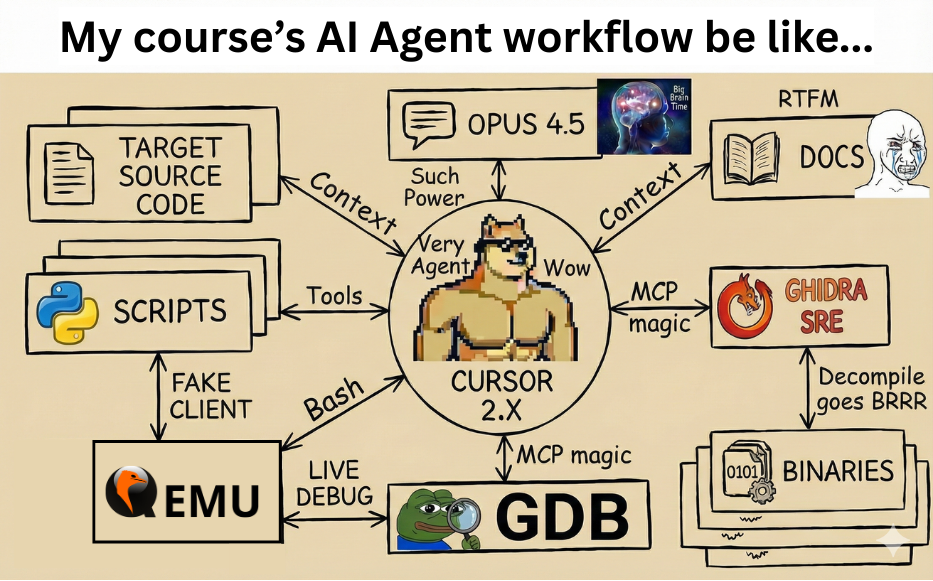
Agentic Workflow On Steroids
3.2 Day 2 – Ghidra MCP and Agentic Fuzzing
Day 2 was reverse engineering day, but instead of doing everything ourselves, the instructors strongly encouraged us to let the agent handle tasks autonomously. I was reluctant at first, because handing reverse engineering work to an AI still felt slightly illegal to my ego. Then I watched it work, and unfortunately, it was very efficient.
We used GhidrAssistMCP to let the Cursor agent talk to Ghidra. Instead of manually clicking through hundreds of functions, we could ask the agent to summarize suspicious code, follow references, and explain what a binary was doing. The challenges started small, like finding hidden secrets, then escalated into unpacking encoded data and finding actual bugs.
The second half of the day moved into a fuzzing CTF challenge: find as many zero-day bugs as possible in TinyUSB, an open-source USB stack for embedded devices.
Panics internally: “All in half a day?!! You must be kidding me, right?”
But what happened over the next few hours made me question both my existence and my job security.
Normally, setting up a good fuzzing harness can be tedious. The cool and scary part here was watching the AI study how existing fuzzing systems worked, then turn that knowledge into reusable instructions for future agents. The funny thing was that, before this, I had very little fuzzing experience. I felt like I learned more by watching the agent do its thing than I would have by slowly crawling through all the documentation myself.
And you know the craziest part? I actually found five confirmed zero-days, validated by both me and the instructors. Being a responsible security researcher, I submitted them to the TinyUSB developers for follow-up. I have not heard from them since though, so I am currently practicing the ancient art of patiently waiting.
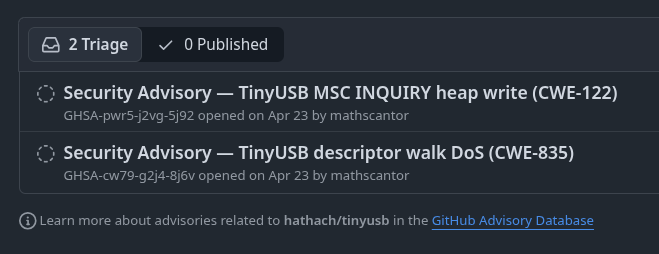
TinyUSB Security Advisory Private Submission
The funniest part was that the winner, who found six confirmed zero-days, did not even have a cybersecurity background. He literally vibed the living hell out of it and did not even verify them himself. After hearing that, I could not help but feel just a tiny bit salty.
It’s alright…

The only thing I missed out on was this cool gadget. Not that I am missing out or anything…
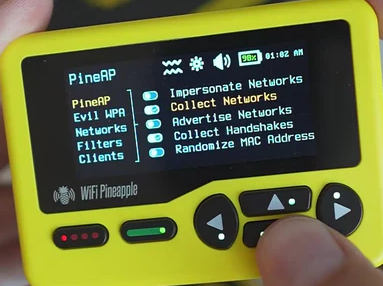
Really, really happy for the winner. Truly…

3.3 Day 3 – Synology TC500 Case Study
Day 3 was easily my favorite. We worked on a real-world case study involving the Synology TC500 IP camera, based on a Pwn2Own Ireland 2024 target. Pwn2Own is a hacking competition where researchers demonstrate real exploits against real products. In other words, this was no toy example.
The goal was to understand a vulnerability in the camera’s firmware. Firmware is the software that lives inside devices like routers, cameras, printers, and all the other little computers hiding in your home and office. We unpacked the firmware, compared the vulnerable and fixed versions, and used the agent to help locate the bug.
So… did we have the actual physical camera to play with?

Synology TC500 Camera
Nope! Why spend real money when we can emulate the camera in Docker and QEMU instead? After that, we ran Synacktiv’s exploit and got a shell.
Watching the agent juggle Docker setup, emulation issues, binary analysis, and debugger work was genuinely impressive. Not perfect, but impressive.
Oh right, and I cannot forget Omri’s implementation of non-blocking GDB skills using dprintf(). Seriously cool stuff. You should check out his repo here.
3.4 Day 4 – VirtualBox VM-to-Host Escape
The final day covered VM escape techniques. A virtual machine is supposed to be a computer inside your computer, safely boxed in. A VM escape is when code inside that box breaks out and reaches the host machine. As you can imagine, that is the kind of thing defenders and attackers both care deeply about.
This one did not end with glorious victory though. The VM-to-host escape was unsuccessful for all the trainees, and the agent kept getting stuck in an infinite loop of failed exploitation attempts. Somewhere in the background, I could almost hear the instructors’ API bill quietly catching fire.
As you can see, I went for a snack around 3pm. I came back and found that the agent had burned almost US$14 just to get absolutely nowhere.

Apologies for Wasting Your Money. Oopsies
I think I personally burned through around US$50 in total, mostly by watching the agent confidently fail in new and exciting ways.
Very educational. Very expensive. Very AI.

The funniest lesson from that failure was that the agent still needed very specific exploit knowledge. Unless it already knew how to do heap feng shui, or had a solid reference like this House of Apple 2.34 writeup, it mostly just flailed around.
So Day 4 was a useful reality check. The agent is not magic. It is extremely good when the problem is well-framed and the right knowledge is available. Without that, it can still become a very expensive loop generator.
Since I could not complete this CTF challenge, I decided to attempt a very different kind of CTF instead: Capture The Food. Unfortunately, even that was not an easy win. I do not know what was going on with the healthy theme that the Marina Bay Sands chefs insisted on putting into the menu. Brown rice sushi with chicken breast? Blasphemous.
The nicest snack I had was just garlic bread with mushroom soup. Please pardon the very not-Instagram-worthy picture.

Still Can’t Believe This Was the Nicest Thing Here
And to close off the training, a group photo with the Gs themselves was absolutely necessary.
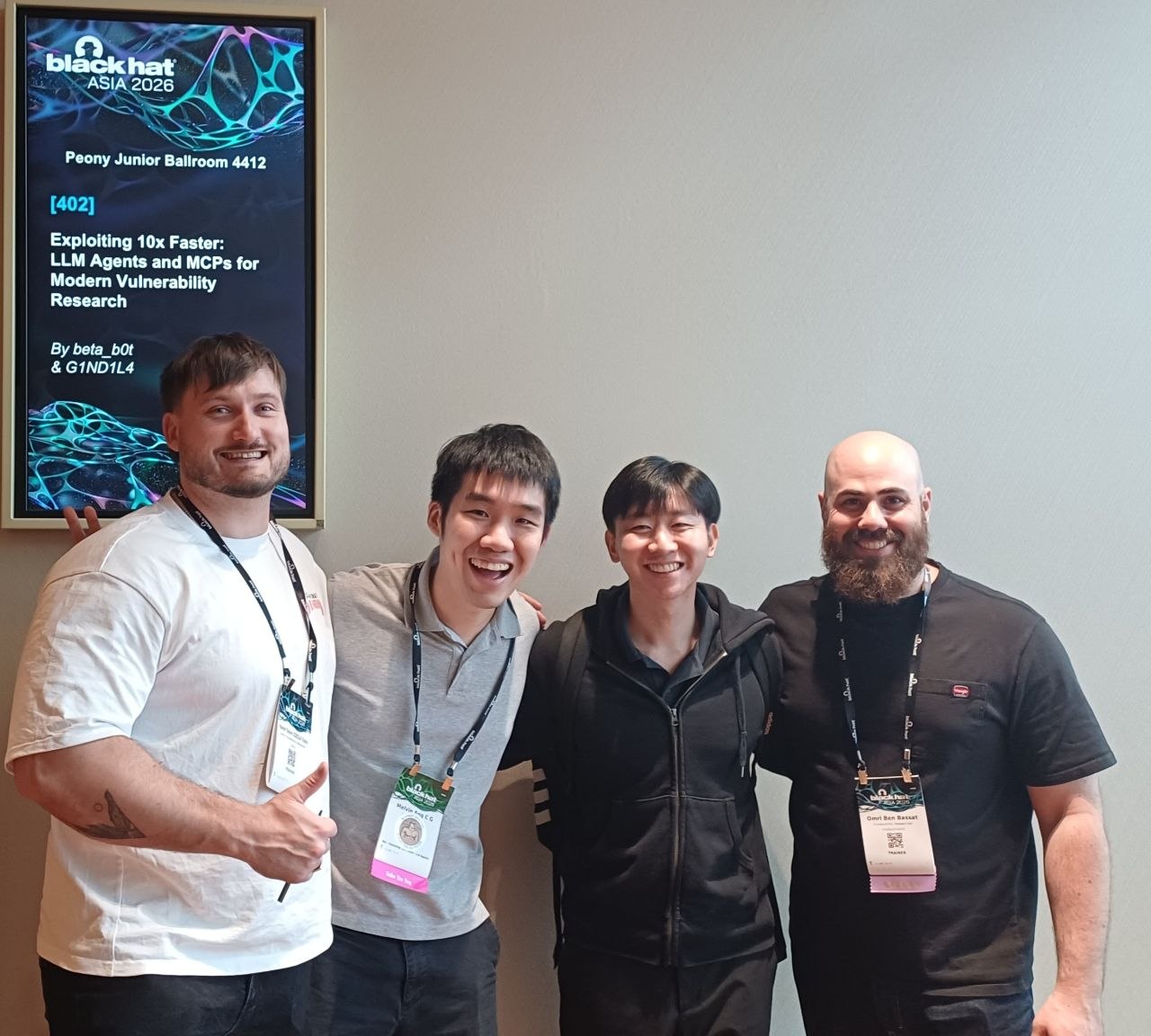
Vladimir, Melvin(colleague), Me, Omri
4. Key Takeaways
4.1 Plan Before You Let the Robot Cook
The single most useful habit I picked up from this course was making the agent plan before it starts doing things.
In Cursor, Plan mode is exactly what it sounds like. Instead of immediately touching files and running commands, the agent first writes down what it intends to do. You get to review the plan, catch bad assumptions, and then approve it. It is the difference between “please renovate my kitchen” and “please show me the renovation plan before you start swinging a hammer.”
This mattered a lot during the Synology TC500 lab. There were many moving parts: Docker containers, firmware files, emulation, debugging, and networking. If I had simply said “make it work,” the agent might have wandered around for a while. By planning first, it had a roadmap. More importantly, I had a chance to sanity-check the roadmap before the robot started cooking.
4.2 The AI Can Learn Your Workflow, Not Just Your Code
Before this course, I assumed AI-assisted fuzzing would be something like “Here is a random test file. Good luck.” I was wrong.
The fuzzing module showed that a strong model can study how an existing security framework works, then help turn that knowledge into a reusable workflow. In Cursor, these reusable instructions are called Skills. Think of a Skill like a recipe card for the agent. When it needs to do a specific type of task, it loads the recipe and follows the patterns.
For fuzzing, the Skill can teach the agent things like what a good test harness looks like, what mistakes to avoid, and how to keep trying when the code fails to compile. The agent does not need to become a magical bug-finding deity. It just needs enough domain knowledge to handle the repetitive parts properly while a human keeps an eye on the important decisions.
That was a major “aha” moment for me. The power is not only in asking better prompts. It is in building small systems around the agent so it gets better at a class of work over time.
4.3 Give Big Jobs to Smaller Agents
One thing people underestimate about AI tools is that they can get messy. If one chat contains hours of debugging logs, code snippets, failed attempts, and random side quests, the agent starts to lose focus. Honestly, relatable.
That is where Sub-Agents come in. A Sub-Agent is like giving one worker a separate notebook and one focused job. Instead of dumping everything into the main conversation, you send a smaller task away, let that agent work in its own clean space, and get back a summary when it is done.
For example, in a static analysis workflow, one agent can coordinate the big picture, another can inspect code, another can trace how data flows through the program, and another can act as the critic that asks, “Are we sure this is actually a bug?” That last role is important because AI confidence and AI correctness are unfortunately not the same thing. Shocking, I know.
This also makes parallel work much easier. Need to investigate four different functions? Send four agents. Need one agent to build the lab while another researches the exploit? Do both. The main lesson: good AI work is not just about prompts. It is about breaking the problem into sane pieces.
4.4 Do Not Micromanage the Agent
Another lesson that kept coming up was to tell the agent what you want, why you want it, and what constraints matter. Do not dictate every single keystroke.
A bad prompt would look like this:
Write line 1 of the Dockerfile, then line 2, then install this exact package,
then run this command...
A better prompt is more goal-oriented:
Build a Docker container with vulnerable OpenSSH 9.2p1.
I should be able to SSH into it from the host.
Use `i386/debian:bookworm` as the base image, compile from upstream
source, set `LoginGraceTime 10`, and make sure sshd uses the vulnerable logging path.
The second version gives the agent a goal, a way to prove success, and the important constraints. It still leaves room for the agent to figure out the details. That is where the speed comes from. If you micromanage everything, you are not using an agent. You are just typing instructions into a very expensive autocomplete.
5. Conclusion
Four days, one IDE, and a very capable AI model. Somehow, that was enough to go from reading a scary vulnerability report to reproducing real exploit workflows in a lab.
So, is your fancy cybersecurity job in danger? I do not think so. The agent is not replacing judgment, taste, experience, or the ability to say, “Wait, this result looks suspicious.” It cannot decide what matters by itself. It still needs a human to frame the problem, review the output, and call nonsense when nonsense appears.
What it can do is remove a shocking amount of busywork. Lab setup, tool wiring, first-pass code reading, repeated debugger commands, and boring compile-fix-retry loops are exactly where an agent shines. Your job is not going away. It is getting an assistant that does not get tired, does not complain, and occasionally needs to be stopped before it enthusiastically digs a hole in the wrong direction.
The real takeaway from this course is not “AI will replace security researchers.” It is that security researchers who know how to work with agents are going to move faster than those who do not. Unfortunately for my skepticism, I am now fully onboard the train.
6. References
- Anthropic – Building Effective Agents
- Anthropic – Effective Context Engineering for AI Agents
- Anthropic – Claude Prompting Best Practices
- Qualys – CVE-2024-6387 regreSSHion Advisory
- Synacktiv – Exploiting a Blind Format String Vulnerability in Modern Binaries
- Google – oss-fuzz-gen (GitHub)
- Fuzz Introspector – tinyusb Project Profile
- GhidrAssistMCP (GitHub)
- betab0t/skills – GDB Skill (GitHub)
- Cursor – Agent Skills Documentation
- Cursor – Subagents Documentation
- Anthropic – Skill Authoring Best Practices
- House of Apple 2.34 64-bit Writeup